Pages, blog and more Link to this heading
Sections of regular pages, the contact page, the blog, blog posts, the 404 page and the password page.
Page Link to this heading
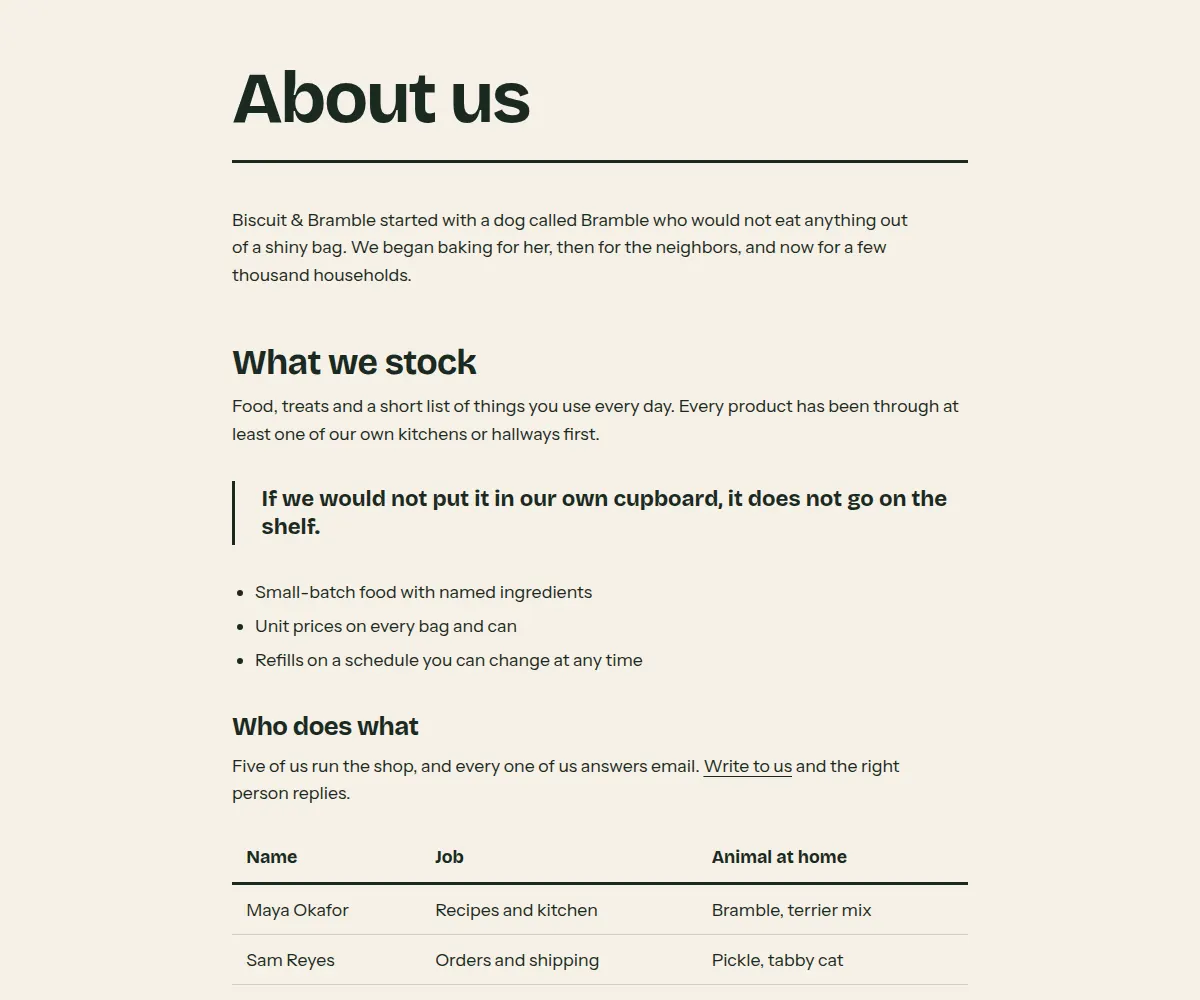
Regular pages such as About us or Shipping: the title on a shelf line and the page content in a reading column. Also the first section of the contact page.
Where it appears: Used in template page.contact, template page. Cannot be added from Add section; it is part of the template.
Settings Link to this heading
| Setting | What it does | Values | Default |
|---|---|---|---|
| Content alignment | Whether the page content sits in a column on the left or in the center. | Left, Center | Center |
| Color scheme | Colors of the page. | Color scheme | Scheme 1 |
Contact form Link to this heading
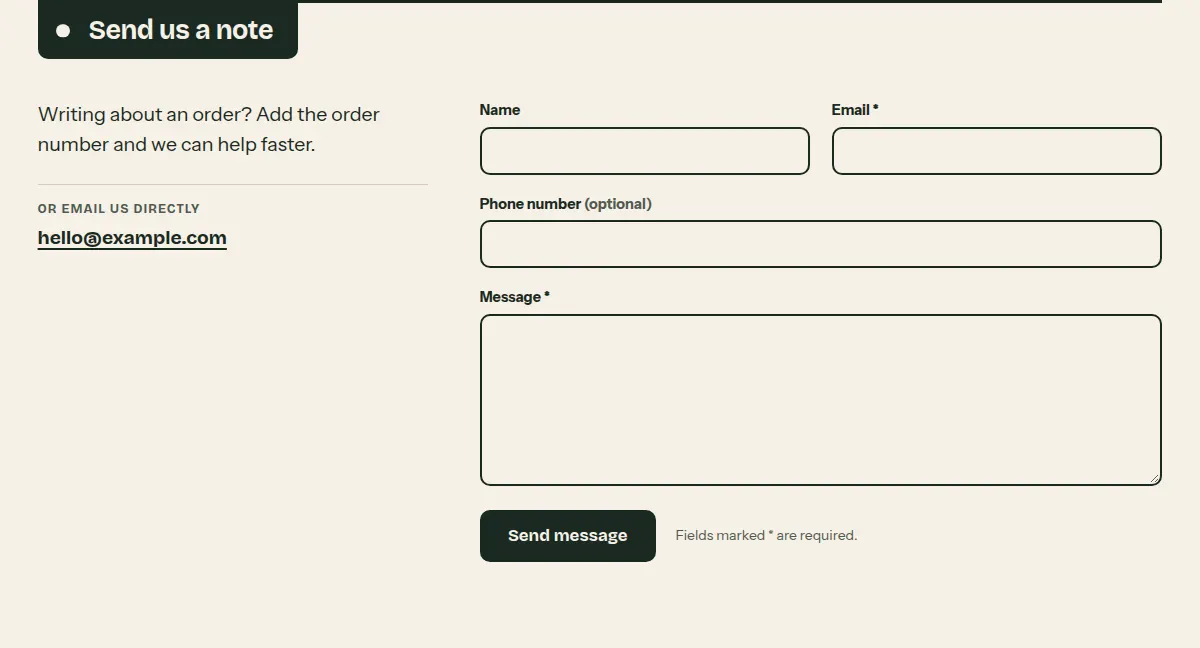
A contact form with a short note beside it. Messages are sent to your store's email address. Works without JavaScript; after sending, the confirmation message receives focus, so screen reader users hear it.
Where it appears: Used in template page.contact. Can be added to any template; not to the header or footer group.
Settings Link to this heading
| Setting | What it does | Values | Default |
|---|---|---|---|
| Heading | Heading beside the form. | Text | “Send us a note” |
| Text | Short note beside the form, for example when you usually reply. | Formatted text | “Tell us what you need and we will reply by email.” |
| Show store emailHint in the editor: Shows the sender email from your store settings to every visitor. | Shows your store's email address beside the form, for customers who prefer to write directly. | On or off | Off |
| Color scheme | Colors of the section. | Color scheme | Scheme 1 |
Blog Link to this heading
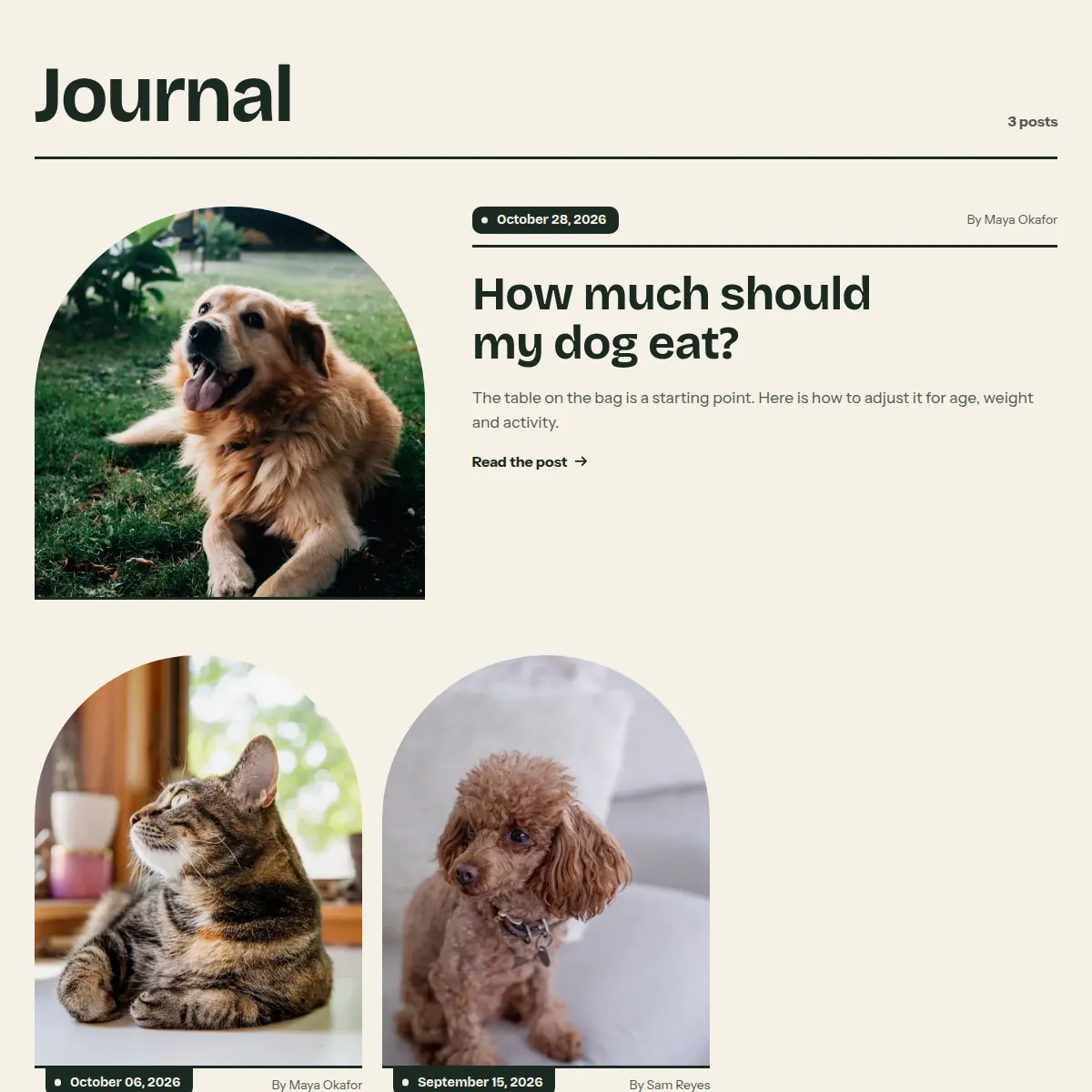
The blog page. The newest post on the first page can lead as a wide feature; every post image stands as an arch on its own line with the date hanging from it.
Where it appears: Used in template blog. Cannot be added from Add section; it is part of the template.
Settings Link to this heading
| Setting | What it does | Values | Default |
|---|---|---|---|
| Posts per page | Number of posts on each page of the blog before the page links. | 3 to 24, in steps of 1 | 7 |
| Show newest post large | Shows the newest post on the first page as a wide feature above the others. | On or off | On |
| Show featured image | Shows each post's featured image. | On or off | On |
| Show author | Shows the author's name on each post. | On or off | On |
| Show excerpt | Shows the excerpt, or the start of the post when there is no excerpt. | On or off | On |
| Color scheme | Colors of the blog page. | Color scheme | Scheme 1 |
Blog post Link to this heading
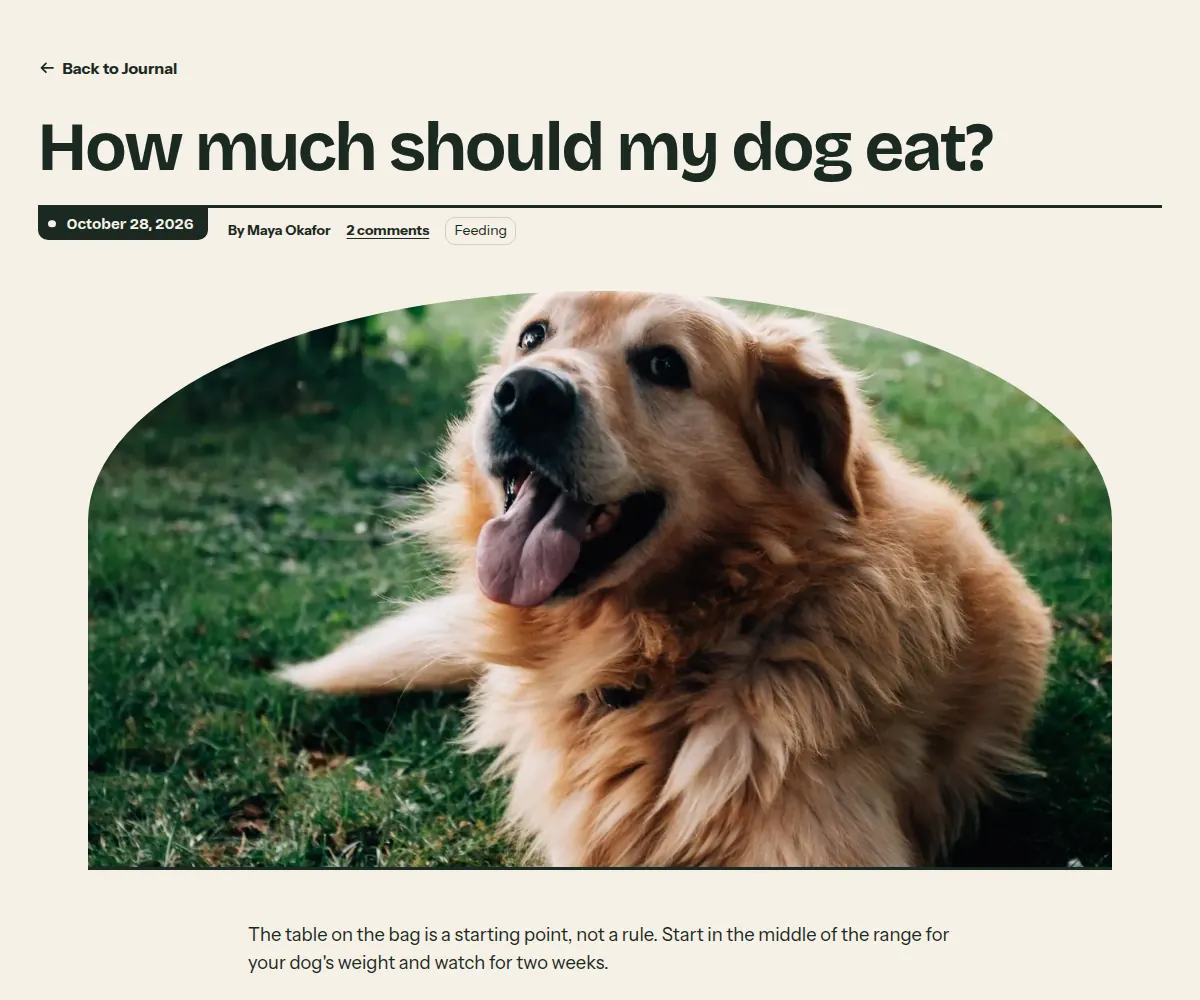
A blog post: title, a shelf line with the date, the featured image as a wide arch, the post in a reading column, then comments and the comment form when comments are turned on for the blog.
Where it appears: Used in template article. Cannot be added from Add section; it is part of the template.
Settings Link to this heading
| Setting | What it does | Values | Default |
|---|---|---|---|
| Show featured image | Shows the post's featured image as a wide arch above the text. | On or off | On |
| Show author | Shows the author's name next to the date. | On or off | On |
| Show tags | Lists the post's tags below the text. | On or off | On |
| Color scheme | Colors of the post. | Color scheme | Scheme 1 |
Page not found Link to this heading
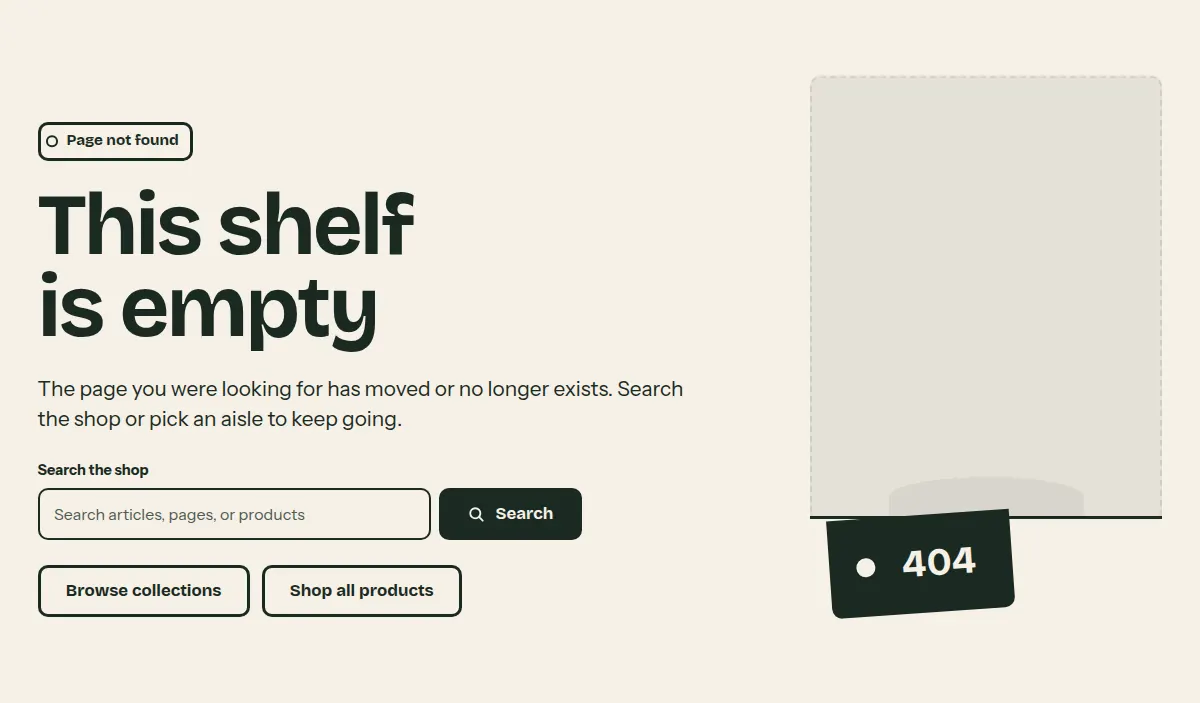
The page shown for an address that does not exist: an empty shelf slot with the error code hanging from its line, a short note, a search field and a link to the collections.
Where it appears: Used in template 404. Cannot be added from Add section; it is part of the template.
Settings Link to this heading
| Setting | What it does | Values | Default |
|---|---|---|---|
| Show search field | Shows a search field below the message, so visitors can look for what they wanted. | On or off | On |
| Color scheme | Colors of the page. | Color scheme | Scheme 1 |
Password page Link to this heading
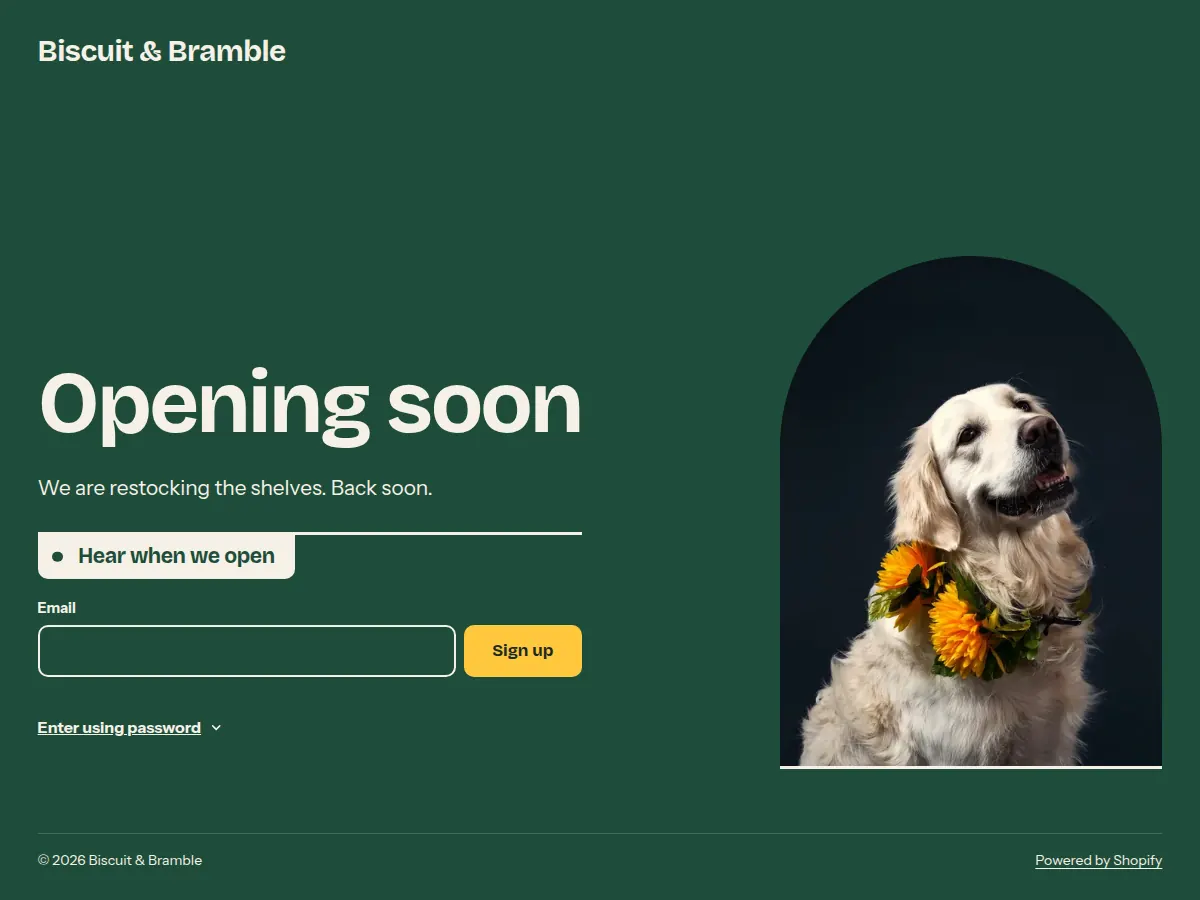
The page visitors see while your store is protected with a password: logo or store name, your message, an optional email signup and the password form behind a button.
Where it appears: Used in template password. Cannot be added from Add section; it is part of the template.
Settings Link to this heading
| Setting | What it does | Values | Default |
|---|---|---|---|
| Logo | Your logo. Without a logo, the store name is shown. | Image | — |
| Logo width | Width of the logo. | 60 to 300 px, in steps of 10 | 160 px |
| Heading | Heading of the page. | Text | “Opening soon” |
| ImageHint in the editor: 3:4 aspect ratio recommended | An image in an arch beside the text. | Image | — |
| Show email signup | Shows an email signup, so visitors can ask to hear when you open. | On or off | On |
| Email signup heading | Heading of the email signup. | Text | “Hear when we open” |
| Color scheme | Colors of the page. | Color scheme | Scheme 2 |
Hutch theme documentation · theme version 1.0.0 · last updated November 16, 2026 · Contact support · Legal notice