Cart and search Link to this heading
The cart page, the cart drawer, the search page and the suggestions under the search field.
Cart Link to this heading
The cart page. Lines stand on the shelf like products, the summary hangs beside them like a till receipt. Without JavaScript the page is a regular form with an Update cart button; with JavaScript, quantities change in place.
Where it appears: Used in template cart. Cannot be added from Add section; it is part of the template.
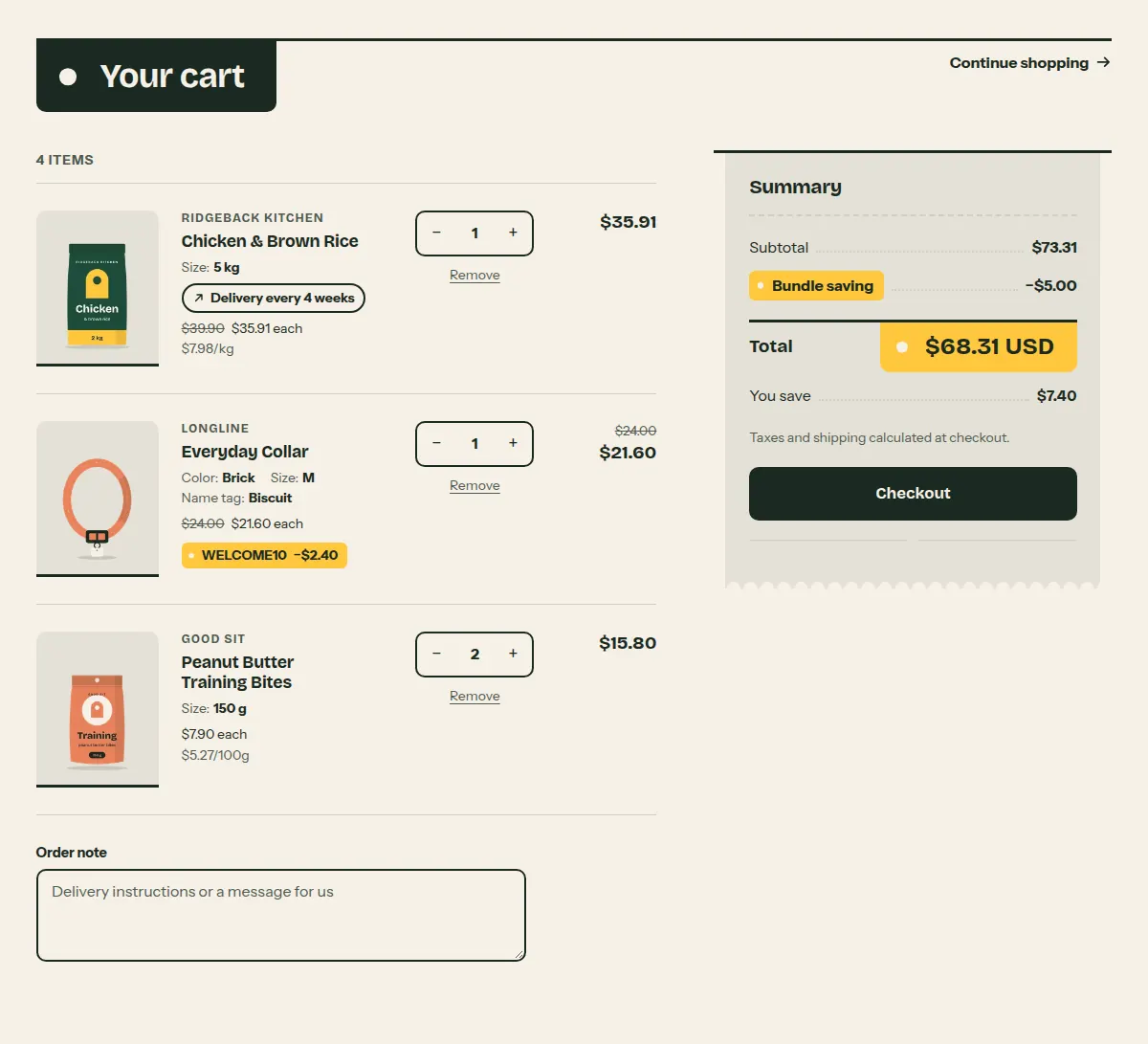
Settings Link to this heading
| Setting | What it does | Values | Default |
|---|---|---|---|
| Heading | Heading of the cart page. | Text | “Your cart” |
| Show vendor | Shows the vendor above each product title. | On or off | On |
| Show order note | Adds a field where customers can leave a note with their order. You see the note on the order in your Shopify admin. | On or off | On |
| Empty cart heading | Heading shown when the cart is empty. | Text | “Your cart is empty” |
| Empty cart text | Text shown below that heading when the cart is empty. | Formatted text | “The shelves are full, though. Start with food, treats or something for the walk.” |
| Empty cart button label | Text of the button that leads back to the shop from an empty cart. | Text | “Continue shopping” |
| Color scheme | Colors of the cart page. | Color scheme | Scheme 1 |
Cart drawer Link to this heading
The cart as a panel that slides in from the side. It opens after a product is added and when a customer selects the cart icon. Hutch adds it to every page except the cart page when Cart type is Drawer.
Where it appears: Used in layout theme.liquid. Cannot be added from Add section; it is part of the template. It is a static section, so it is not listed under Add section.
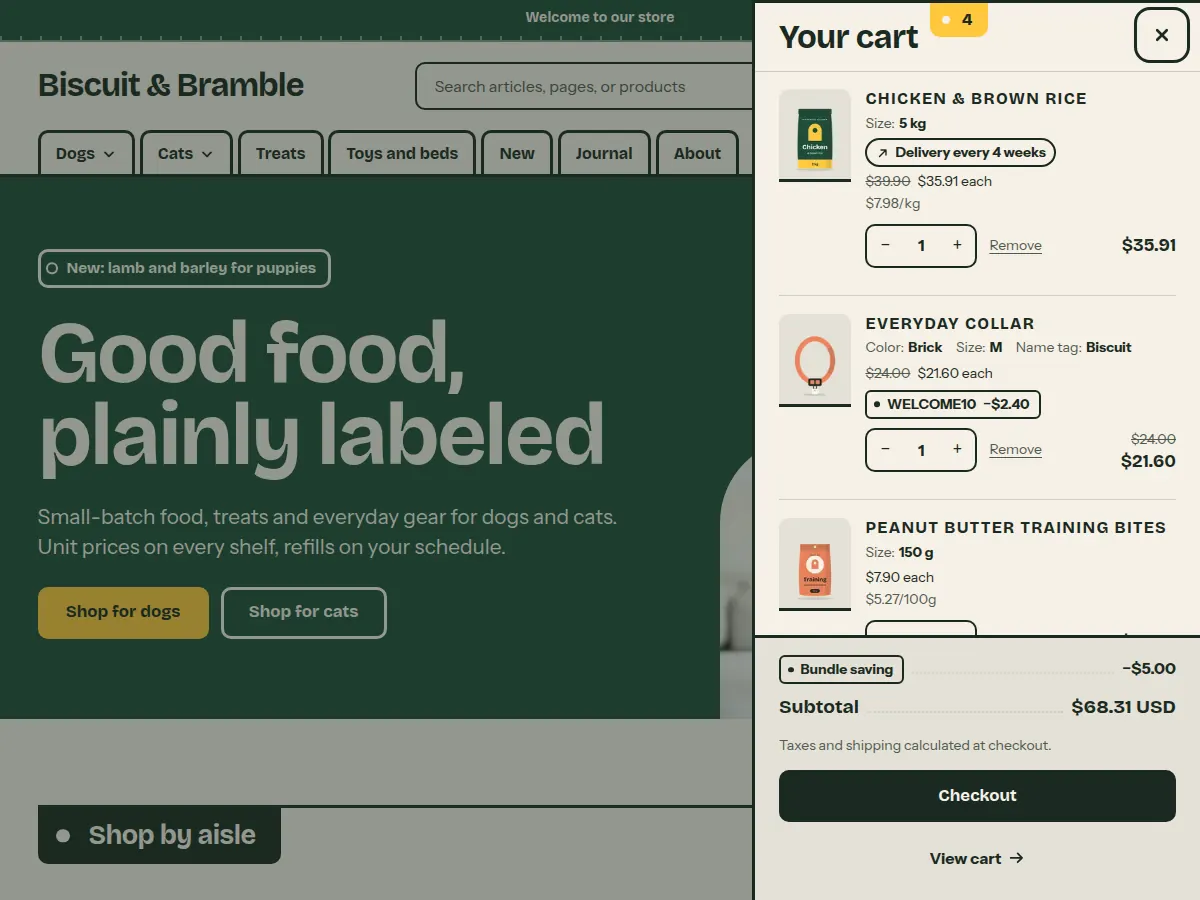
Settings Link to this heading
| Setting | What it does | Values | Default |
|---|---|---|---|
| Heading (optional)Hint in the editor: Leave empty to show the default text "Your cart" in the store's language. | Heading at the top of the drawer. | Text | — |
| Color scheme | Colors of the drawer. | Color scheme | Scheme 1 |
Search results Link to this heading
The search results page. A color band holds the search field, followed by the same filters, sorting and product cards as a collection. Pages and blog posts that match are listed below the products.
Where it appears: Used in template search. Cannot be added from Add section; it is part of the template.
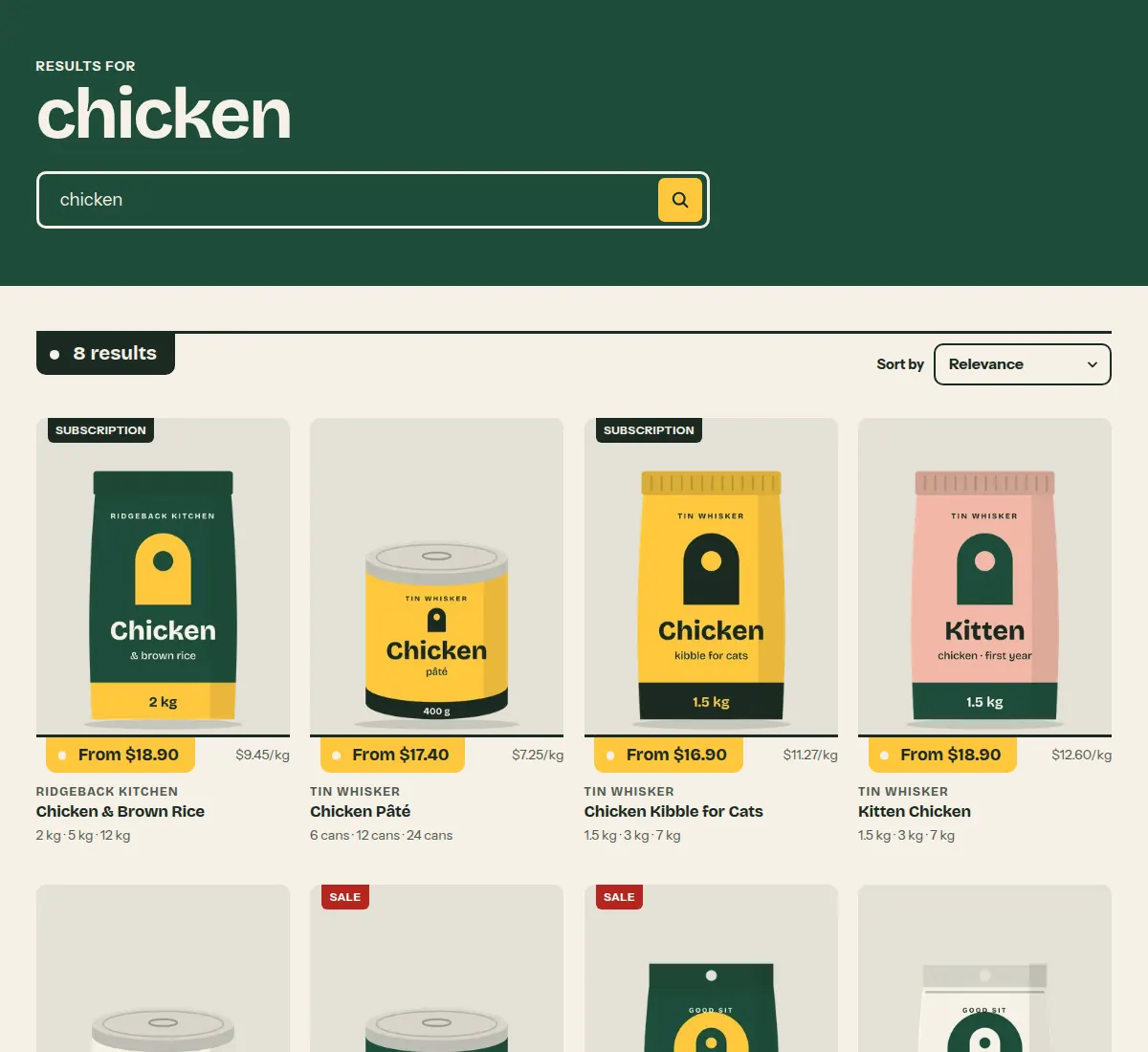
Settings Link to this heading
| Setting | What it does | Values | Default |
|---|---|---|---|
| Color scheme | Colors of the band with the search field. | Color scheme | Scheme 2 |
| Results per pageHint in the editor: Pages and articles are listed below the products. | Number of results on each page before the page links. | 8 to 48, in steps of 4 | 24 |
| Enable filteringHint in the editor: Customize filters with the Search & Discovery app. | Shows the filters you set up in the Search & Discovery app next to the product results. | On or off | On |
| Show filter group names on active filters | Puts the filter name before each active filter. | On or off | Off |
| Enable sorting | Shows the sort order menu above the results. | On or off | On |
Predictive search Link to this heading
The suggestions that appear under the search field in the header while a customer types: search terms, products, collections, pages and blog posts. It has no settings. It is not placed on a template; the search field loads it from Shopify.
Where it appears: Cannot be added from Add section; it is part of the template. It does not appear in the theme editor's list of sections.
Settings Link to this heading
This has no settings of its own.
Hutch theme documentation · theme version 1.0.0 · last updated November 16, 2026 · Contact support · Legal notice